No.1 Indian & South Asian IPTV
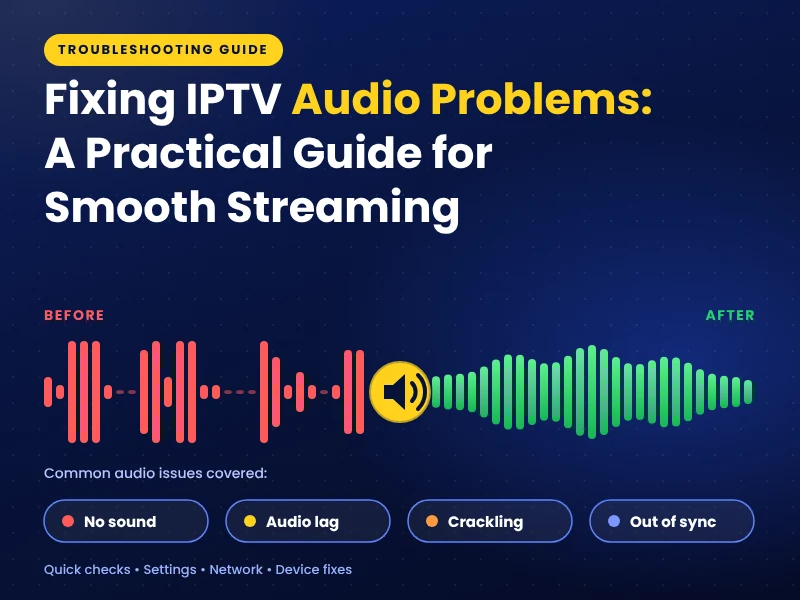
What can be more frustrating than hearing audio that is popping, cracking or even causing voices to go away from the source where it comes from? There are lots of people who depend on internet television on a daily basis and one of their biggest worries is audio issues.
This blog examines the causes of IPTV Audio Problems, identifying its cause and the solution to this problem.
The signal of the cable uses one route. However, the internet uses a separate signal. This signal originates from the server of the service provider, goes through the router, then reaches the playback device and finally goes only to the TV or sound bar. If there is any interruption at any point, the audio will be affected but nothing else will.
Sounds move in bits. If there is any problem in getting all of them through, then the player should skip or wait for those bits, hence the occurrence of stutters, echoes or gaps in the sound transfer process. The interference of wireless signals by microwaves, heavy walls and overcrowded networks is what causes most of this kind of problem.
High Definition Videos take a stable throughput of 8 to 10 Mbps. If one test shows anything, then this is not the case at all.
Audio in a stream can be coded in different ways such as AAC, AC3 and E-AC3. You will either experience total silence or only get one speaker working because the player or TV does not support the audio coding. This problem usually occurs when the surround sound audio feed is delivered to the TV which supports only stereo.
Many problems have straightforward explanations. See below before you make any changes:
Perform all of these procedures step by step. Most problems should be fixed in about ten minutes.
Proper configuration of the network will prevent some problems even before they happen. The positioning of the router, the Wi-Fi frequencies and the number of devices that are connected affect whether the audio data packets get to the destination.
Ethernet cable takes care of all the problems associated with wireless interference and thus is the best modification that can be made for better sound quality. A cable passing through the room may not always be possible. In such cases, a powerline adapter or mesh network would come to your rescue, but the cable connection would still produce the best result.
Matching your audio problem to the list of probable causes in the table below will help you to solve your IPTV audio problems without any experiment.
| Symptom | Likely Cause | Recommended Fix |
| No sound at all | Muted output or wrong HDMI or optical route | Check mute status and select the correct output |
| Crackling or popping | Weak signal or damaged cable | Replace the cable or use Ethernet |
| Sound lags behind picture | Processing delay or buffering | Adjust the audio sync setting or lower resolution |
| Only one speaker works | Unsupported surround format | Set output to stereo PCM |
| Sound cuts out at intervals | Bandwidth drops | Test speed and disconnect idle devices |
| Robotic or distorted voices | Corrupt stream or low bitrate | Switch server and restart the app |
In case of the sound lagging behind the picture, try looking for advanced settings of your playback player with the audio delay bar and adjust it by 50 milliseconds every time till the process becomes synchronized. It is possible to add delay using the soundbar, which implies switching off all other additional settings.
In case you face problems at the same time of day, it means that your provider’s server is overloaded. Try asking for an offer to test the IPTV USA service free of charge and see whether you have the same problems.
Avoiding an error will be much less costly than trying to fix it. Here are several recommendations that will come in handy:
The customers who utilize the IPTV USA servers between 7 p.m. and 10 p.m. encounter many problems because this timeframe is the busiest one. Monthly subscriptions will allow you to make changes instantly in case the sound quality won’t improve.
Don’t forget to try out an IPTV free trial for some time to check whether all the companies have a valid license.
Silence, lag and distortion rarely mean any equipment malfunction; on the contrary, in most cases, these issues are caused by a bad connection, wrong file format or wrong setting that is forgotten. Start from scratch, apply the chart to find out what is wrong and adjust the delay if needed.
IPTV Audio Problems is a good chance to think of changing not only your equipment but also your service provider. Analytical thinking will definitely help you get back your clear sound.
Ensure that your device’s mute feature isn’t engaged on either the app or television side before proceeding. Secondly, ensure you have the right audio output and then restart your device. Another cause of silent audio is that the file is not supported.
Adjust the audio synchronization or delay setting within the player options menu. Gradually increase or decrease the setting until the speech is synchronized with the lips. Also, disable any soundbar processing settings since they generally cause additional delay.
Dropouts are generally caused by fluctuations in internet speed or Wi-Fi interference. You should try using an Ethernet cable, closing apps that use bandwidth and restarting your router. In case you have dropouts during peak times, the provider’s server is probably overloaded.
Yes. Most players have audio or language settings accessible while playing. Change your settings to select a different audio track or format. This can solve the problem when your default audio stream has some corrupted or unplayable encoding.
Yes, although stability is more important than speed. Poor connectivity will cause delays, leading to stuttering, echoes or total silencing of sound. A reliable connection with a minimum of 10 Mbps of bandwidth should do well to ensure good synchronization of sound.
Crackling is normally caused by a faulty HDMI cable, poor wireless connection or poor streaming bitrate. Change the cable if necessary, move closer to the router and flush the cache on the app. If the problem persists, change the server.
 315-856-9077
 647-943-0707