No.1 Indian & South Asian IPTV
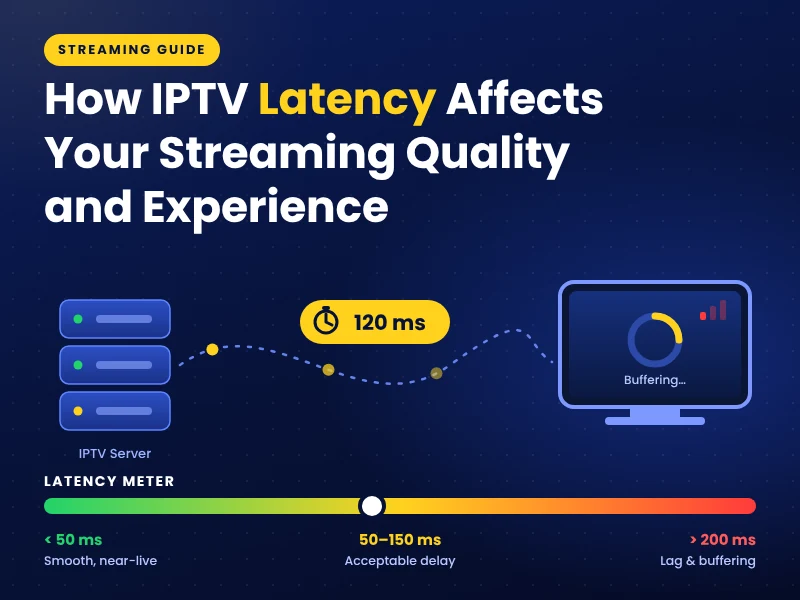
Imagine this scenario; you click “play”, the screen goes blank for a few seconds while everyone watches in anticipation. This waiting time has been given an official title, IPTV latency and it is defined as the period the video frame takes to reach your television set from the provider’s end. Most homes always consider the problem as being on the internet service, but the truth is that the problem occurs somewhere else.
This blog analyzes streams from the server to the sofa and helps you understand what is best for you first.
Latency in this case is the time difference between a frame being sent from its source until the same frame appears on your screen. The latency within the network is measured in milliseconds while the complete time from encoding to decoding is usually measured in seconds. The shorter the difference, the quicker your channel switches will be and the broadcast will go smoothly ahead of the actual event. Viewers tend to realize this phenomenon when the reaction of a neighbor comes before the information has appeared on his own screen.
Every one who provides a classroom stream, an auction or company announcements understands how important this issue is as all of those cases depend on viewing in common. This problem is less felt for recorded content although the slow start affects the service badly.
These three words are frequently mixed up, thus it would be wise to distinguish them.
Even a family with a very fast subscription will have a late stream of video if the path is not good enough, whereas a slow plan will deliver a smooth streaming of video if the path is short and clear. Find out what the problem is before making any changes.
The delay occurs due to different reasons; some are controllable by the service provider while others may lie within your hallway.
Among all the variables, it is generally the delivery method that has the greatest impact. The following numbers are typical values and depend on network performance and configuration.
| Delivery Method | Typical Delay | Best Suited For | Main Trade-Off |
| Standard HLS | 15–30 seconds | Wide device support | Longest delay |
| Low-latency HLS | 2–5 seconds | Modern apps and boxes | Needs newer players |
| Low-latency DASH | 2–5 seconds | Android and smart televisions | Uneven device support |
| MPEG-TS over UDP | 1–3 seconds | Managed networks | Weak over the open web |
| WebRTC | Under 1 second | Interactive use | Heavy server demand |
HLS in standard form is widely used since almost all devices can play it. Companies that value performance always opt for the low latency forms and make shorter segments.
Provider’s encoding is beyond your control; however, quite a lot of the delay can be eliminated on your side of the router.
When possible, go for an Ethernet cable, because there is no problem with wireless interference in this case. Even a relatively short cable connection will significantly reduce the variations that you experience throughout the day. When it is impossible to use the cable, you can rely on powerline adapters or a mesh node close to the TV.
If there is an option to choose the location of the server from the service provider, select the closest one. This should be coupled with a moderately modern machine or television since fast decoding reduces time delays while changing channels.
Some players allow you to reduce the buffer. But do this gradually because going down too much will bring back the buffering problem. Also stop downloading large files and backing up clouds when viewing.
The provider’s website does not say much about delay, which makes testing the service the better option.
Short trial period gives the fairest test possible. Conduct this in the busiest time of day for you instead of in an inactive afternoon. See how quickly channels open, if there is synchronization of audio and visuals and what occurs when another device initiates download. Refrain from giving any payment information to those providers who refuse to disclose terms.
Price is not everything that you should pay attention to when comparing IPTV subscription plans. Inquire about server locations, device compatibility, number of simultaneous connections allowed and return policy terms. An inexpensive plan that uses far-off servers might turn out to be much more expensive in terms of frustration than savings.
Users opting for IPTV USA packages need to verify that the servers are hosted in America and if possible, at locations close to heavily populated areas. This ensures faster and easier transmission. In addition, it needs to be verified that the package has legal content, as the legal providers invest more in their systems.
Delay is not an isolated problem in itself. Rather, it is a composite issue created by several decisions on the part of the provider, the network and the home device. When one understands the process of IPTV latency, one will be able to better evaluate the service providers and fix any shortcomings in one’s own configuration.
Start with a cable, ask tough questions and test it during peak hours. The end product will be fast service and a justified monthly cost.
IPTV Latency is the period between the time a video frame leaves the provider and arrives on your screen. The period of time includes encoding, transmission through the network, buffering and decoding at your end and is usually somewhere between one and thirty seconds.
Below ten seconds is good for normal transmission, whereas low latency systems have two to five seconds. Round trip network time should be less than fifty milliseconds since more values will result in poor channel switching and playback.
Common reasons include poor Wi-Fi connectivity, congested home network, far away server, old device or large player buffer. Checking your internet connection with a cable link will easily tell you if it is your own issue.
VPN increases one more hop along with adding encryption, which leads to increase in latency by a few milliseconds. However, it helps when your internet service provider is throttling down your stream data traffic; choose a server close to you.
Switch to an Ethernet cable, reboot the router, halt background downloads and reduce the quality of the video if needed. You should also check that you receive a minimum of twenty-five Mbps on your connection for high definition streaming.
Most trials last from twelve hours to three days; however, some providers extend this period to an entire week. Make the most of your trial period during the evening peak, test multiple devices and turn away any requests for excessive information.
 315-856-9077
 647-943-0707